PhotoCraft in your browser
Open the PhotoCraft web build here: layers, masks, adjustment layers, layer styles, type and PSD files, with the processing done on your own device.
 PhotoCraft
PhotoCraft online · Free downloads · AI and batch tools
PhotoCraft is a free, open-source photo editor rebuilt from scratch in Rust, with the layers, masks, adjustment layers, brushes and PSD files you know from Photoshop. Open PhotoCraft online right here in your browser, download PhotoCraft for Windows, macOS or Linux, and use our AI image studio and batch tools when one photo is not enough.
Fix a photo with AI in one click
New accounts get 5 free credits — about 2 AI edits (2 credits each)
About PhotoCraft
PhotoCraft is an open-source, clean-room reimplementation of Adobe Photoshop written in pure Rust by the ArtCraft community. It has layers, masks, adjustment layers, layer styles, type, vectors, brushes and real PSD files. This site runs the PhotoCraft web build with integrated AI controls in your browser, lists every desktop download from the PhotoCraft GitHub releases, and adds paid AI image generation and batch photo tools. Local editor operations run on your device; AI edits send your document snapshot and prompt only when you press Generate.
Open the PhotoCraft web build here: layers, masks, adjustment layers, layer styles, type and PSD files, with the processing done on your own device.
Windows installers, a signed macOS app, Linux AppImage, deb, rpm and Flatpak, all linked straight to the PhotoCraft GitHub release with file sizes and checksums.
Create images from a prompt or edit an uploaded photo with Nano Banana, FLUX, Seedream, GPT Image and more, then finish the details in PhotoCraft.
Resize, convert, compress, watermark and rename whole folders in your browser. Up to 10 images per batch are free.
PhotoCraft online
The PhotoCraft engine and interface compile to WebAssembly. Our online editor uses a customized PhotoCraft web build with integrated AI controls. Opening, editing and exporting PNG, JPEG, WebP or layered PSD files happen on your device. Your document snapshot and prompt are uploaded only when you press Generate for an AI edit. A browser with WebGPU or WebGL2 is required, and a desktop or laptop screen works best.
Free, no account needed. Save or export before closing the tab: the web version of PhotoCraft has no autosave.
Start the PhotoCraft editorPhotoCraft features
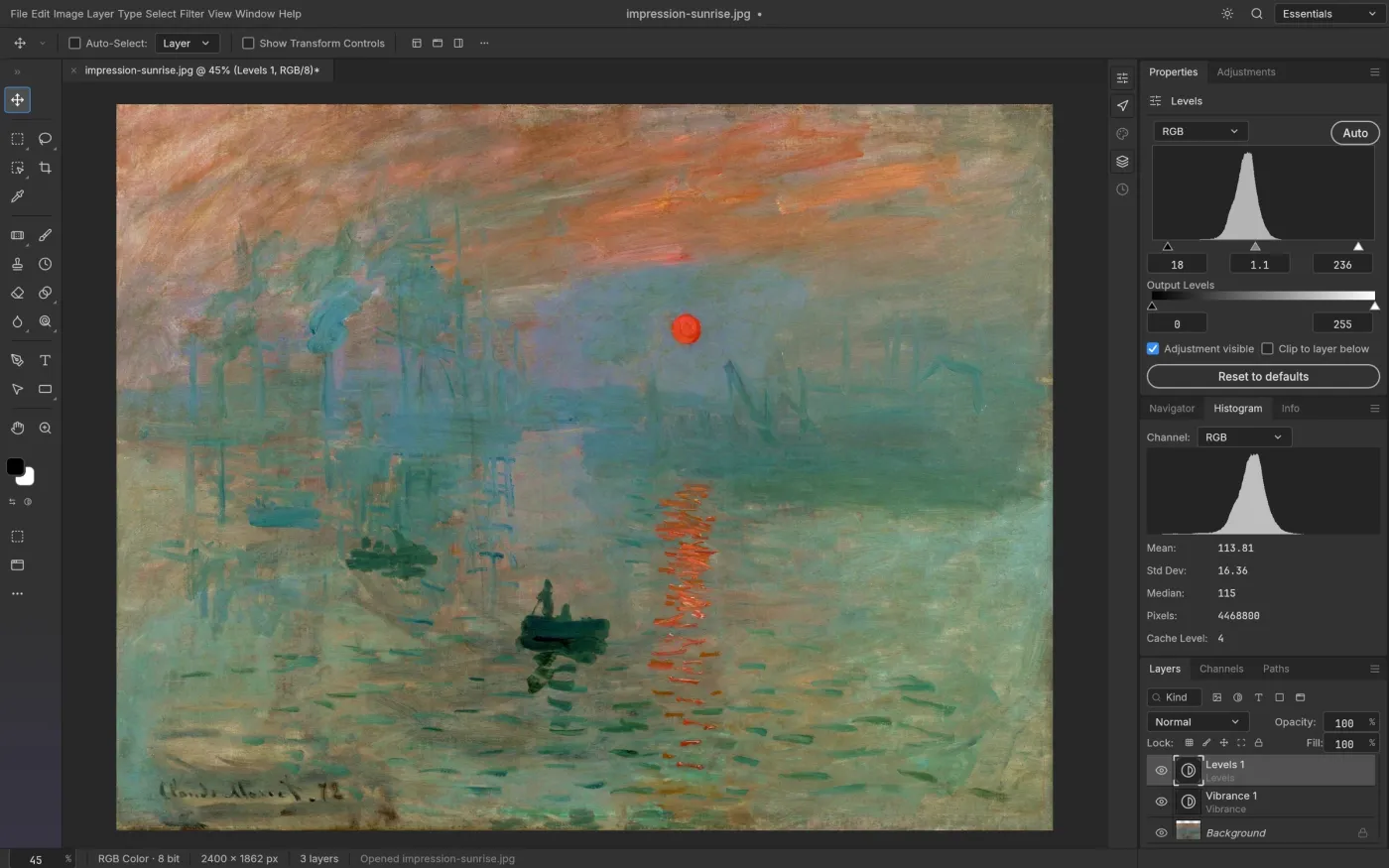
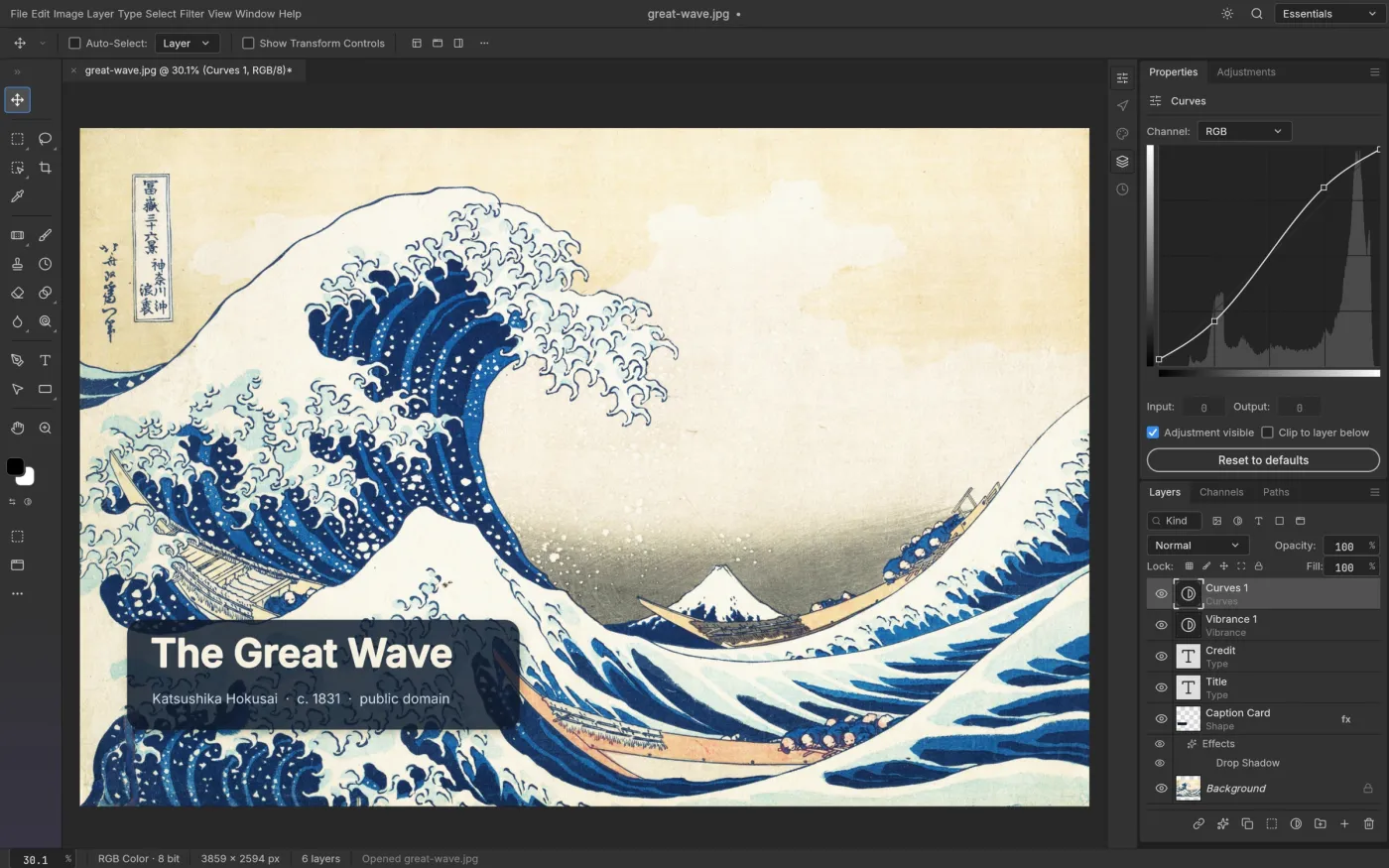
Groups, clipping masks, pixel and vector masks, 16 adjustment layers such as Curves, Levels and Hue/Saturation, and 27 Photoshop blend modes. Every PhotoCraft edit stays non-destructive.
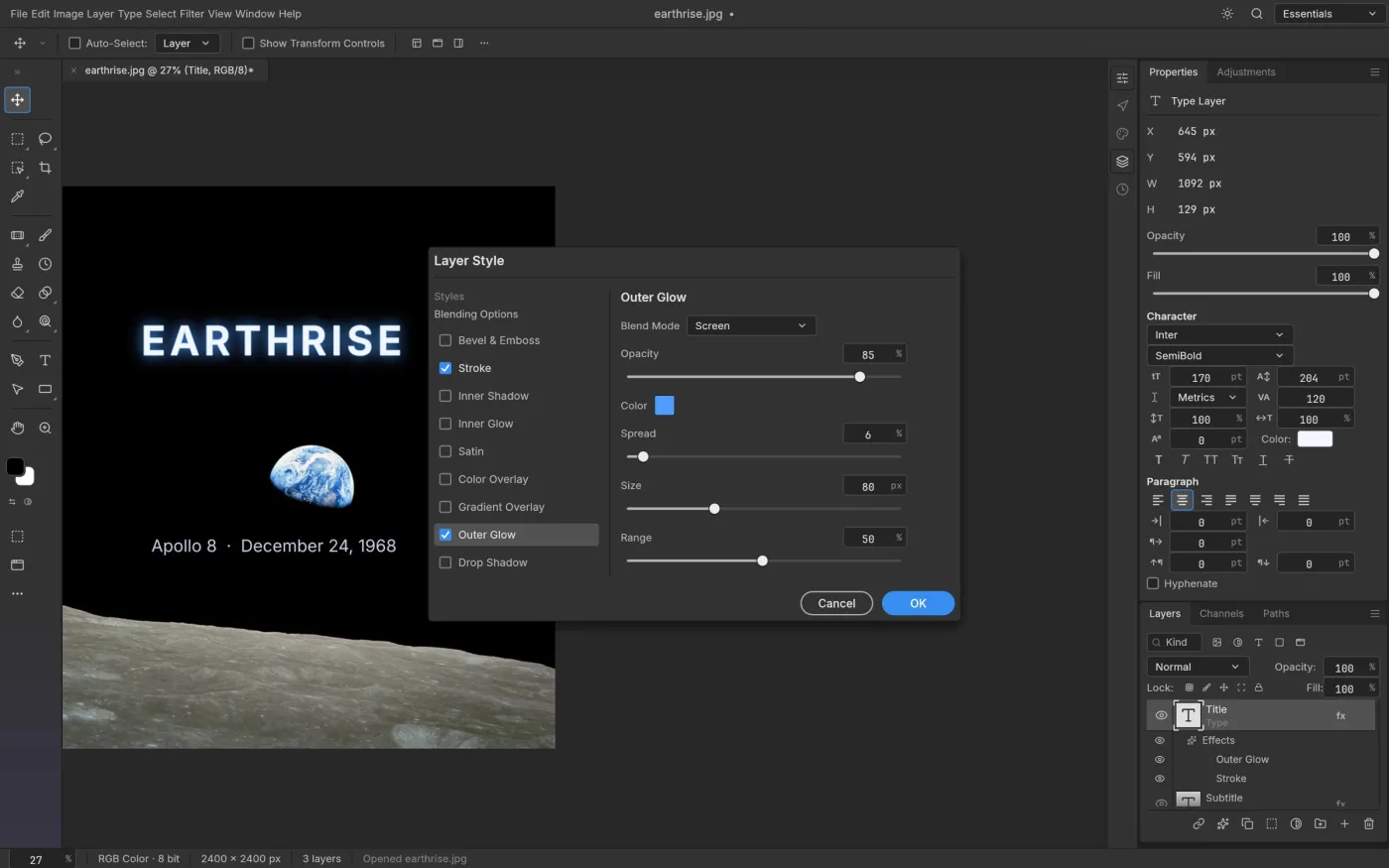
Drop Shadow, Glow, Bevel & Emboss, Stroke and overlays on any layer, including editable type. PhotoCraft opens styles from your PSD files and renders them to match.
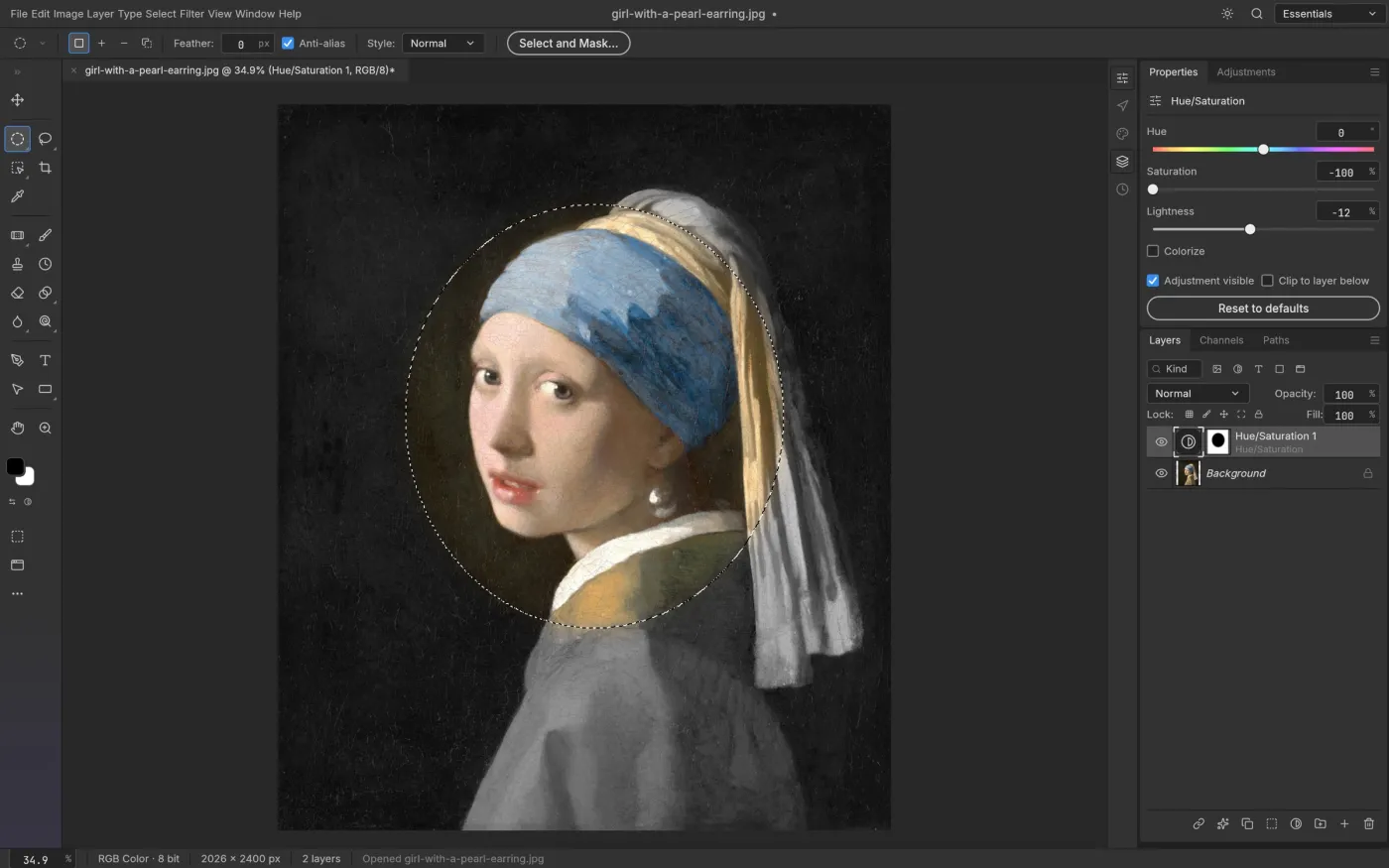
Marquees, lassos, Magic Wand, Quick Selection, Object Selection and Select Subject, then Select and Mask for hair-fine edges. Smart selection runs on your device.
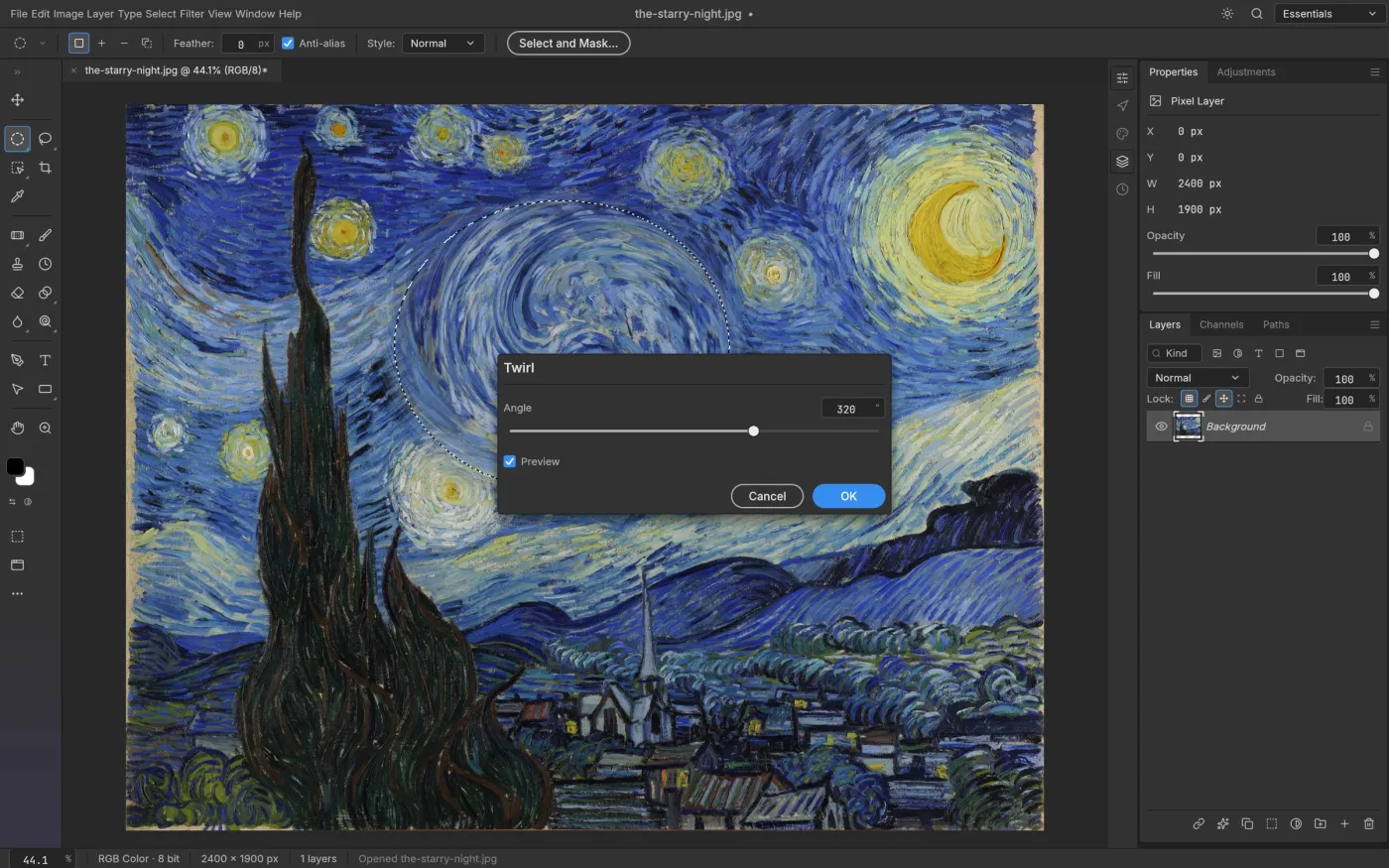
Blurs, Blur Gallery, sharpening, Reduce Noise, distortions, Oil Paint, Lighting Effects and more, previewed on the canvas through your selection.
Screenshots from the PhotoCraft project, rendered from public-domain artworks.
AI image studio
The upstream PhotoCraft release has no generative AI features yet. Our AI studio fills that gap: describe a new image, or upload a photo and describe the change, such as a new background or a different light. Download the result and refine it in PhotoCraft. Each run shows its credit cost before you submit.
Loading the AI image studio…
Batch photo tools
Need fifty product shots at 1080 px, WebP for your website, or every photo watermarked? The batch tools process files in your browser and download a ZIP. Batches of up to 10 images are free; larger batches use 1 credit per 25 images. An AI batch applies one prompt to many photos.
Open the batch toolsDownload PhotoCraft
The desktop PhotoCraft app is the fastest way to work with large PSD files: a native GPU compositor, multithreaded filters and no browser limits. Installers are code-signed on Windows and notarized on macOS. Linux users can choose an AppImage, deb, rpm, Flatpak or tarball.
How it works
Start the online editor, or download the desktop app for Windows, macOS or Linux.
Work with layers and adjustments in PhotoCraft, or create a starting image with the AI studio.
Save PNG, JPEG, WebP or PSD, and run batch tools to deliver every size you need.
What is free
The PhotoCraft editor is free on every platform. Credits are only used for AI image generation and for large batches.
Web build with AI controls, runs in your browser
Linked to the PhotoCraft GitHub releases
Then 1 credit per 25 images
Price shown before each run
FAQ
PhotoCraft is a free, open-source photo editor that reimplements Adobe Photoshop from public specifications, written entirely in Rust. It supports layers, masks, adjustment layers, layer styles, type, vector shapes, a full brush engine and layered PSD files. It is developed by Storyteller and the ArtCraft community on GitHub.
Yes. The PhotoCraft editor compiles to WebAssembly, and this site serves the web build with integrated AI controls. Open the online editor, then open an image from your device. Editing happens in your browser; save or export your work before closing the tab because the web version has no autosave.
Yes. PhotoCraft is licensed under MIT or Apache-2.0, and the online editor and every download are free here. Only the optional AI generation and batches over the free limit use credits. Eligible new accounts get 5 free credits — about 2 AI edits (2 credits each), once.
The source code lives at github.com/storytold/photocraft. Releases, installers, checksums and the issue tracker are there too. Our download page lists the latest release assets with direct GitHub links.
No. photocraft.my is an independent site. It is not affiliated with Storyteller, ArtCraft or Adobe. The official page is getartcraft.com/apps/photocraft. We host the PhotoCraft web build with integrated AI controls under its open-source license and link to the official GitHub downloads.
Not yet for every professional workflow. The PhotoCraft team describes the upstream release as early alpha: most of the Photoshop feature surface exists in some form, but AI features, some tools, deep typography and plug-ins are still missing. Use the AI studio on this site when you need generative edits.
photocraft.my is an independent site. PhotoCraft is open-source software by Storyteller and the ArtCraft community; this site is not affiliated with them or with Adobe. Official project: getartcraft.com/apps/photocraft · github.com/storytold/photocraft.